For studios developing interiors in SketchUp, connecting model components to product specifications can help keep design decisions and project records aligned. Programa’s new extension links SketchUp components with items in its Schedules, reducing repeated data entry while leaving designers in control of changes. That matters because a model and a specification often serve different audiences: one shows what’s being designed, while the other records what the team intends to source. When the two drift apart, even a small revision can leave someone working from stale information.
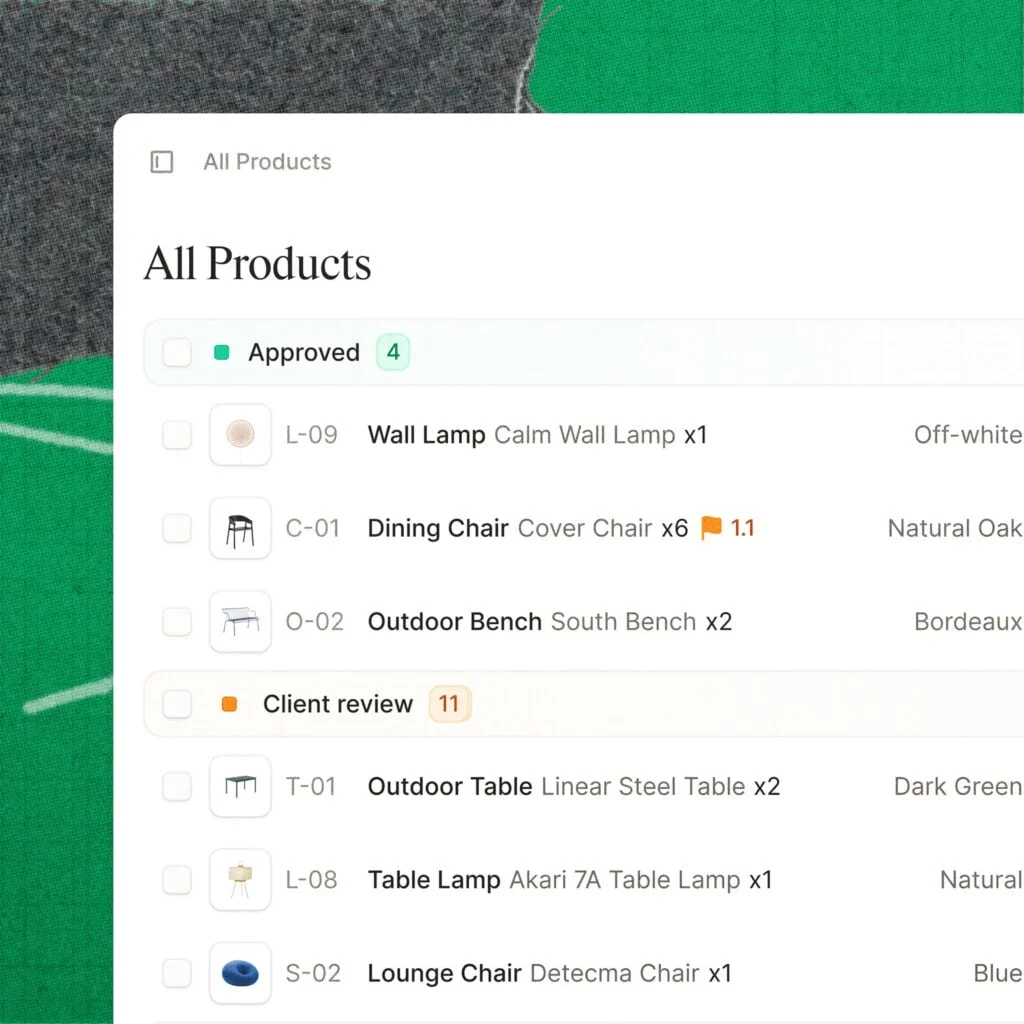
Keeping product records tied to the design
A Schedule records each product’s code, supplier, finish, dimensions, quantity and price, offering an alternative to tracking those details in spreadsheets. The extension runs inside SketchUp, where a designer can send a component to a selected Schedule or connect it to an item already listed. Linking an existing product avoids creating a duplicate entry, a practical safeguard when the same item appears in several views or project documents.
The value of that connection depends on the quality of the information going in. A component may represent a visual choice, while its linked Schedule item carries the identifying and commercial details a studio needs to coordinate the specification. Keeping those records together can make it easier to trace a model element back to a product, though it doesn’t resolve ambiguity in the source data itself. If you're working in this space, the useful question is whether the link reduces checking work without making the team assume that every field is already correct.
Before an item is added, its information can be reviewed and edited. The resulting Schedule entry combines details from the SketchUp component with information supplied during that review, giving the studio a chance to check the specification before using it for pricing or procurement. That checkpoint is useful because product descriptions and model labels don’t always contain the same level of detail; a review can expose gaps before they travel into a downstream document. It still relies on someone making the comparison carefully.
Products move between the Schedule and model
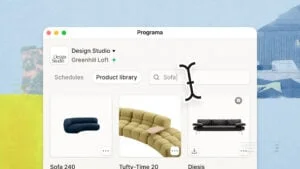
The extension also brings Programa’s Product Library into SketchUp. Designers can place saved 3D models into a project and use product images as material swatches, so selected finishes appear in the model as well as in the Schedule. The connection gives the team a way to see product choices in context while retaining their associated specification details. And yet, a visual match on screen shouldn’t be mistaken for confirmation that every product attribute has been checked.

The workflow can start in the Schedule, too: a product with a compatible 3D model can be placed directly into SketchUp. If no model is available, designers can use a stand-in from SketchUp’s 3D Warehouse or another component in the current model. That fallback keeps a design moving when a manufacturer’s geometry isn’t on hand, but it creates a distinction between the placeholder and the specified product that the team will need to track. A stand-in can help communicate scale or position; it shouldn’t quietly become the product record.
Once a product and component are linked, supported changes can be reviewed in either direction. Adding another instance of a connected chair in SketchUp, for example, creates a quantity change that the designer can choose to apply to the Schedule. Programa says proposed changes appear for review “before the corresponding update is applied”. Here's the thing: that approval step is doing real work. It turns synchronization into a proposed update that a person can assess, rather than an automatic assumption that every model edit represents a specification decision.
Human review remains part of the workflow
That review step matters as a design develops: the model and specification can stay connected, while the studio decides when a recorded change should take effect. Designers remain responsible for “selecting the right product, checking its details and deciding when the model or Schedule should change”, according to Programa. The extension carries information between the two tools; it doesn’t make product decisions for the team. This is more significant than it looks, since quantity changes and product substitutions can have different meanings even when both begin as edits in the model.
There’s a broader operational point here (and this is the part most people overlook): linking records can reduce duplicate entry, but it also makes clear who must review proposed changes and when. A connected workflow is only as dependable as the habits around it. The numbers here are underwhelming in one respect: the article provides no measured time savings or error reduction, so the practical benefit is described as a workflow feature rather than demonstrated performance. A useful control, then. Still a control that depends on people using it.
Who the extension is for
The extension is intended for studios that model in SketchUp and manage specifications in Programa. It works with the desktop version of SketchUp on Mac and Windows. That makes the product most relevant where the design model and product schedule already sit within those tools; teams using a different specification process may find the connection less central to their day-to-day work.
For studios already using both platforms, the key implication is a clearer route for carrying product information and selected changes between model and Schedule, with a person deciding what gets applied. Whether that changes the workload will depend on how consistently the team maintains product records and reviews updates. The extension’s value is in connecting those tasks. More details are available on Programa’s website, with setup instructions in its extension guide.